
 EN
EN
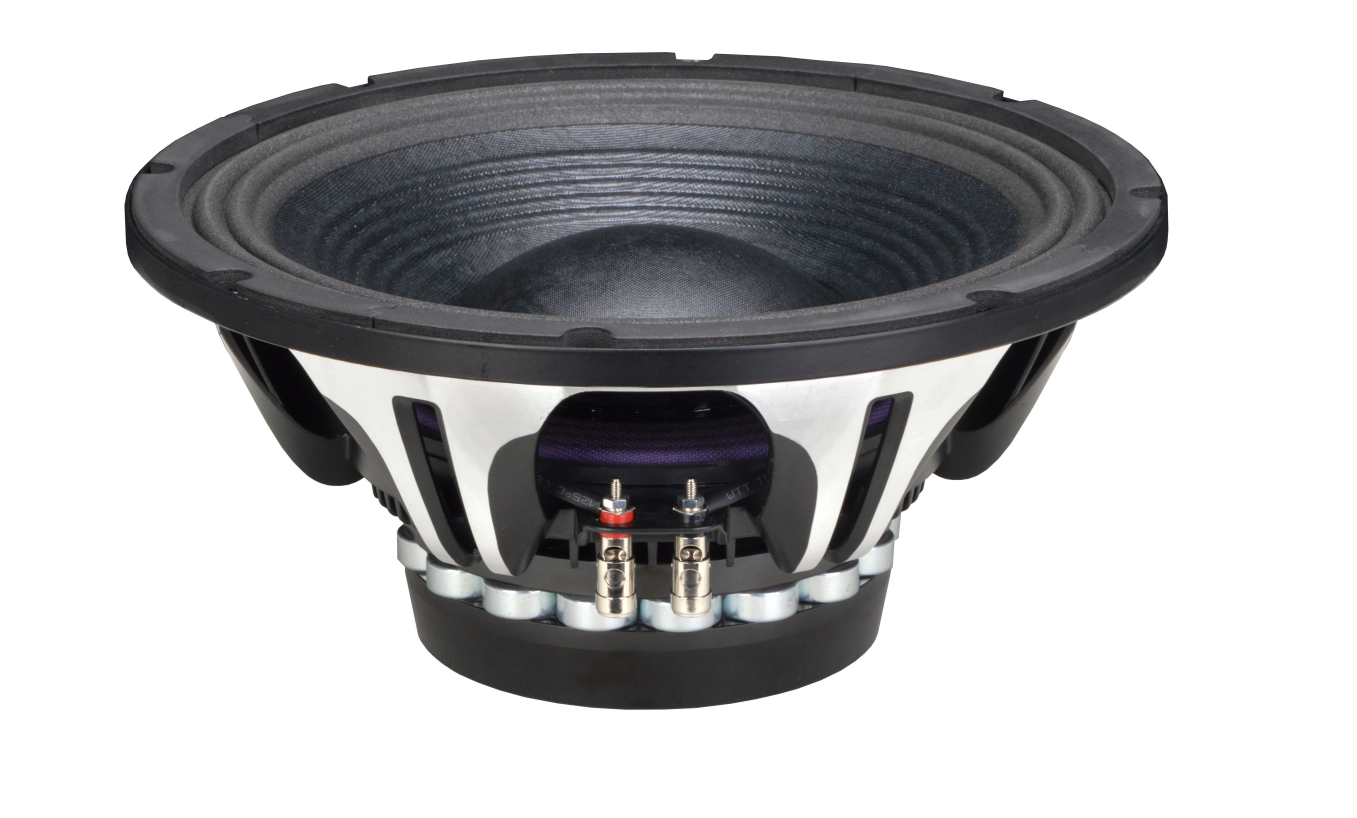
Root Causes of Distortion in Woofer Speakers
Thermal Distortion from Voice Coil Overheating
Overheating of voice coils remains one of the main culprits behind thermal distortion problems in woofer speakers. When an amplifier delivers more power than what the speaker can handle thermally, things start getting really hot inside those voice coils, sometimes reaching temperatures above 300 degrees Fahrenheit (around 150 Celsius). At these extremes, we see thermal compression happening along with changes in impedance. The result? The electrical properties of the coil change, which leads to gradual power compression effects and higher levels of harmonic distortion. Sometimes when things get too hot, the physical expansion causes the coil to actually touch the magnet gap area. This creates all sorts of unwanted sounds that listeners might hear as buzzes or scratchy noises during playback. Proper thermal management isn't just about adding some metal heat sinks somewhere. It requires careful attention to how much power gets delivered and designing systems with proper cooling mechanisms built right into their construction from the beginning.
Mechanical Distortion Due to Over-Excursion and Suspension Stress
Mechanical distortion arises when woofers exceed their linear excursion limits. Over-excursion pushes the cone assembly beyond its designed range, resulting in three key failure modes:
- Voice coil contact with the backplate, producing sharp impact distortion
- Spider and surround deformation past elastic limits, reducing centering force
- Asymmetric cone flexure under high excursion, distorting wavefront geometry
Driver measurements show harmonic distortion often exceeds 10% at moderate SPLs under these conditions. When suspension systems fail to restore the cone to neutral position, non-linear motion generates intermodulation and harmonic artifacts that fundamentally degrade tonal accuracy and transient fidelity.
Proper Power Matching for Reliable Woofer Speaker Operation
Matching amplifier RMS output to woofer speaker RMS rating
Getting the RMS output of an amplifier to match up with what the woofer can handle in terms of RMS power is pretty much essential if we want our system to work without distortion and last longer. According to industry observations, when these ratings are properly aligned, there's about a 37% drop in chances of thermal failures compared to when components don't match up. Pushing past what the woofer can take continuously leads to voice coils heating up fast, which results in compressed sound quality, degraded glue holding things together inside the driver, and eventually total destruction. On the flip side, not giving enough power over time makes amplifiers work harder during those sudden loud moments, causing them to clip and distort badly. The best practice remains matching RMS specs at identical impedances. Take this scenario for instance: connect a 500 watt RMS amplifier set at 4 ohms to a woofer that's also rated for 500 watts RMS at 4 ohms resistance.
Avoiding impedance mismatch to prevent voltage instability and harmonic distortion
When there's a mismatch between impedances, amplifier outputs tend to become unstable, which affects both how clean the signal stays and what happens over time with equipment reliability. Connecting a 4 ohm woofer to an amp that can only handle 8 ohm loads reliably (or going the other way around) pushes the amplifier into areas where it doesn't work well. This results in things like voltage drops, strange frequency responses, and higher levels of unwanted distortion in the sound. According to some recent findings from the Pro Audio Standards folks in their 2024 report, getting those impedance numbers right cuts down on failure rates related to distortion by about 41 percent. Before setting up any system, check what impedance rating comes standard with your woofer usually either 4 or 8 ohms and then pick out an amplifier that specifically states it works well with that kind of load without issues.
Clipping Prevention and Signal Integrity Best Practices
How Clipped Signals Drive Destructive DC-Like Current into Woofer Speakers
When an amplifier gets saturated, it starts clipping, which basically flattens out those waveform peaks and messes with the zero crossings. What happens next is pretty damaging because the signal acts kind of like DC current, pushing the voice coil into constant movement without giving it time to cool down properly. The Audio Engineering Society found back in 2023 that these clipped signals actually raise voice coil temps anywhere from about 20 to maybe even 30 percent compared to normal clean audio. And this heat buildup causes all sorts of problems over time including glue breaking down between parts, spider components getting tired faster, and surrounds stretching out of shape. Just the thermal pressure alone can knock down speaker output by around 3 to 6 decibels. So if we want to keep our speakers sounding good and lasting longer, avoiding clipping becomes absolutely essential.
- Maintain ±3 dB of amplifier headroom above peak program levels
- Deploy limiters calibrated to the woofer’s RMS rating—not system peaks
- Use oscilloscope verification early in the signal chain to catch clipping before amplification
Proper gain staging extends woofer lifespan by up to 40% and preserves transient response integrity far more effectively than reactive protection alone.
Real-World Distortion Elimination for Woofer Speakers
Step-by-step gain staging: aligning headroom from mixer to amplifier to woofer speaker
Proper gain staging remains one of the best ways to keep distortion out of our audio signals throughout the entire chain. Start right at the beginning point: when setting up mixers, aim for output levels that hover around -6 dBFS to -3 dBFS range. This leaves about 3 to 6 dB buffer space which helps prevent unexpected peaks later on. Then move on to adjusting the amp's input gain settings until we see those clipping indicators flash just once or twice during loud parts of tracks. That tells us we've found the sweet spot where the equipment responds properly without getting pushed too hard. Check if the average power coming out of the amplifier actually lines up with what the speaker can handle safely. Too much power causes heat problems inside components, while not enough might lead to damage through repeated clipping effects. Anyone working on critical sound systems should always double check these voltage readings at different points along the way with a good quality true RMS meter. Doing this ensures clean audio travels all the way from mixing desk down to the actual speakers themselves.