
 EN
EN
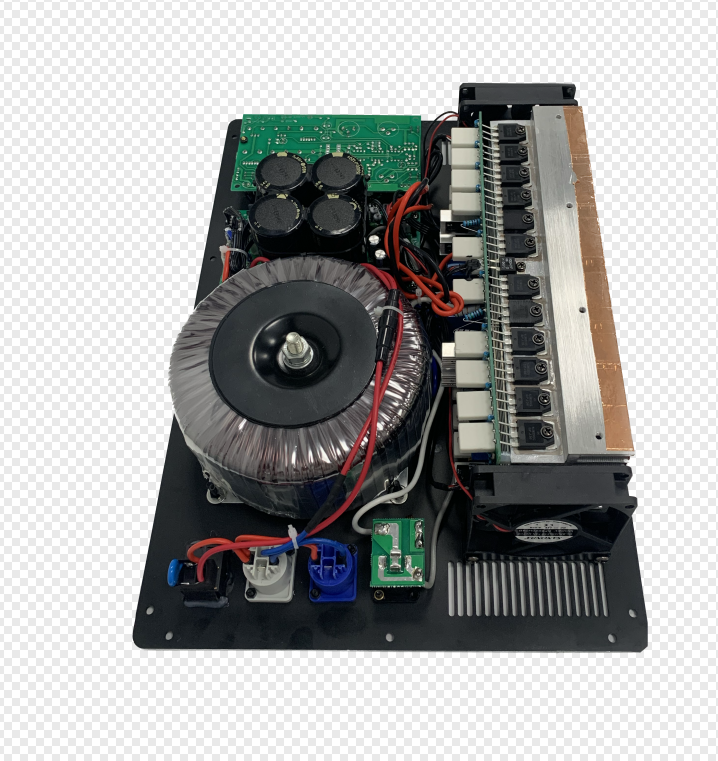
Match Impedance for Stability and Safety
Why Ohms Rating Compatibility Is the First Rule of Amplifier Matching
Getting the right match between amplifier and speaker impedance, measured in ohms, matters a lot for keeping systems stable, running efficiently, and staying safe. When the impedances line up properly, the maximum amount of power actually reaches the speaker instead of bouncing back or getting lost somewhere along the way. If there's a mismatch beyond about a 1.2 to 1 ratio, around 12 percent of that power ends up turning into heat inside the amplifier according to some research from RF Engineering Journal last year. That puts extra strain on internal parts and just wastes electricity. Take this scenario: hooking up an 8 ohm speaker to an amplifier rated for 4 ohms makes the amp work twice as hard to deliver current, which can overload the power supply and create serious heat problems. Before plugging anything together, it's wise to check that both pieces of equipment have matching impedance ratings. Most consumer gear comes in standard sizes like 4 ohms, 8 ohms, or sometimes 16 ohms.
Consequences of Impedance Mismatch: Overheating, Distortion, and Amplifier Failure
Ignoring impedance compatibility initiates a cascade of performance degradation and hardware risk:
- Overheating: Reflected energy raises internal amplifier temperatures by 15–30°C (Audio Engineering Society, 2022), accelerating capacitor aging and weakening solder joints.
- Distortion: Phase cancellation from reflected waves introduces audible buzzing, harshness, or clipped highs; signal-to-noise ratios may drop by 6–10 dB.
- Amplifier Failure: Sustained overload triggers protection circuits or permanently damages output transistors—high-power systems can suffer catastrophic failure within 15 minutes at 50% mismatch.
| Impedance Mismatch Ratio | Power Loss | Thermal Rise | Failure Risk |
|---|---|---|---|
| 1.2:1 | ≤ 12% | ~15°C | Low |
| 2:1 | 25% | ~25°C | High |
| 4:1 | 44% | 30°C+ | Critical |
When bridging incompatible systems, use impedance-matching transformers or DSP-based correction—not passive workarounds—to preserve signal integrity and thermal safety.
Size Amplifier Power to Speaker RMS and Headroom Needs
Decoding Speaker Power Ratings: RMS, Program, and Peak Explained
PA speakers specify three distinct power ratings:
- RMS (Root Mean Square): Continuous thermal power handling under sustained operation—the only metric that should guide amplifier selection.
- Program: Short-term burst capacity (typically 1.5–2 × RMS), useful for estimating real-world dynamic headroom.
- Peak: Maximum instantaneous tolerance (2–4 × RMS), not a design target for amplifier sizing.
Match your amplifier’s continuous output to the speaker’s RMS rating. Exceeding peak limits by more than 25% risks voice coil deformation; operating below 75% of RMS invites clipping during transients.
The 1.2x–1.5x RMS Rule: Why Slightly Higher Amplifier Power Prevents Clipping
Amplifiers rated at 1.2–1.5 × the speaker’s RMS handling provide essential headroom for musical transients—preventing waveform truncation when voltage rails are exceeded. Per a 2024 Audio Engineering Society study, this margin reduces clipping distortion by 43% in live environments. That extra capacity ensures clean peaks without compression or digital limiting artifacts.
Clipping Risks: How Underpowered Amplifiers Damage Tweeters More Than Overpowering
Amplifiers that aren't powerful enough actually create bigger problems for system reliability compared to those that are slightly too strong. When these underpowered units get pushed past their limits, they start producing those nasty square wave harmonics packed with high frequency content. This basically fries the tweeters because they can't handle all that heat energy. We've seen in practice that tweeters tend to blow out about three times quicker than woofers when clipping occurs. On the flip side, having too much power usually just leads to slow voice coil heating issues. But here's the thing most people miss: this isn't something we need to fear if we set our gain levels correctly and use proper limiters. It's not about buying bigger amps than necessary, but rather making smart choices about how we operate them in real world conditions.
Leverage Amplifier Headroom and DSP for Real-World Reliability
Measuring and Applying Headroom: dB Above RMS Before Clipping Occurs
Headroom basically means having that extra space (measured in decibels) between what the average audio signal does and when the amplifier starts to clip or distort. Getting this right matters a lot for sound quality and keeping equipment healthy over time. Most pros suggest going with amps that can handle at least 1.5 times, sometimes even double, what the speakers are rated for RMS power. This gives room for those sudden loud moments in music without everything falling apart. Running gear at around 60 to 70% of its max capacity keeps things sounding clean and reduces heat buildup which wears out components faster. How much headroom we actually need depends on what kind of system we're talking about. Voice only setups typically get away with about 6 dB of clearance, but electronic dance music or orchestral recordings really require closer to 10-12 dB because of their wild dynamic range. When folks skimp on this buffer zone, they end up with blown voice coils and that unpleasant squashed sound where details get lost plus weird distortion effects start creeping in.
Trend: DSP-Integrated Amplifiers That Auto-Detect Load and Optimize Output
Today's amplifiers are starting to include built-in DSP engines that automatically sense what kind of load they're connected to and adjust their output settings on the fly. What this means for users is that these modern systems can change things like gain levels, crossover points, and equalization curves without anyone having to do complicated math or risk making setup mistakes. Some models even come with FIR filtering technology which helps keep those quick musical transients intact. There's also automatic alignment features for subwoofers and satellite speakers that ensure everything stays in phase when multiple drivers are working together. For anyone dealing with tricky loads that vary by frequency, this smart tech makes all the difference since sudden drops in impedance won't throw off older style amplifiers quite so easily anymore.
Choose the Right System Architecture: Active, Passive, or Hybrid
When Built-In Amplification Simplifies Matching — and When It Doesn’t
Active PA speakers come with built-in amplifiers that match the drivers, so there's no need to worry about impedance mismatches or underpowered systems anymore. These all-in-one units send just the right amount of power to each component, which is why they work great for things like gigs at local clubs, presentations in boardrooms, and setups on the go for DJs. But there's a tradeoff here too. When everything's tied together inside the cabinet, it becomes tough to scale up later or fix problems down the road. Want to boost the power? Can't do it without replacing the whole unit. Need different drivers for a new venue? Not really an option either. And forget about tinkering with custom signal processing or adding those fancy external crossovers that professionals often rely on for big events or tricky acoustic spaces where sound quality matters most.
Hybrid Pitfalls: Using External Amplifiers with Active Subwoofers
Adding external amplifiers to active subwoofer systems often leads to unnecessary signal chain problems. When we send full range audio to the sub's built-in amp at the same time as routing a line level or boosted signal to passive speakers, several issues pop up. We get impedance mismatches, phase cancellations, and unwanted frequency overlaps that nobody wants. The situation gets worse when the sub's internal crossover kicks in after it has already received an amplified signal. This can cause tweeters to pick up duplicate high frequencies which results in distortion from overexcursion. Another common problem comes from double amplification where both the external amp and the sub's own circuitry boost the signal. This usually ends up overheating the high frequency drivers. Before mixing different components together, it makes sense to check out the crossover settings, understand how the signal flows through the system, and properly set up the gain levels across all equipment involved.
Validate Your Amplifier—Speaker Match with a Practical Checklist
Ensuring optimal performance and longevity requires methodical validation—not assumptions. Use this field-tested checklist to confirm compatibility and prevent common failures:
- Impedance Verification: Confirm amplifier stability at your speakers’ nominal impedance (e.g., 4Ω or 8Ω). Mismatches cause 62% of premature amplifier failures (Pro Audio Standards, 2024).
- Power Alignment: Cross-reference amplifier RMS output with speaker RMS handling. Target 1.2–1.5 × speaker RMS for reliable headroom.
- Headroom Confirmation: Ensure ≥3–6 dB of dynamic margin above RMS levels to avoid clipping in typical program material.
- Architecture Compatibility: Audit signal flow consistency—especially in hybrid setups—to prevent double-amplification, phase issues, or crossover misalignment.
- DSP Integration: If using DSP-enabled amplifiers or processors, verify auto-load detection and real-time optimization features function as intended.
Systematically auditing these five parameters prevents thermal stress, frequency response anomalies, and premature component wear—while establishing measurable baselines for future system tuning and troubleshooting.